Asset Register
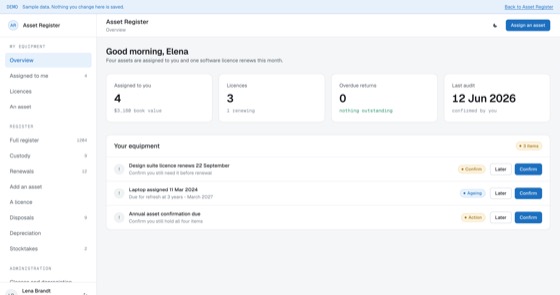
Every laptop, vehicle, licence and machine, who holds it, what it cost and when it is due.
5.0 out of 58 sold
TodayTechnician1 / 6
4.5 out of 57 sold
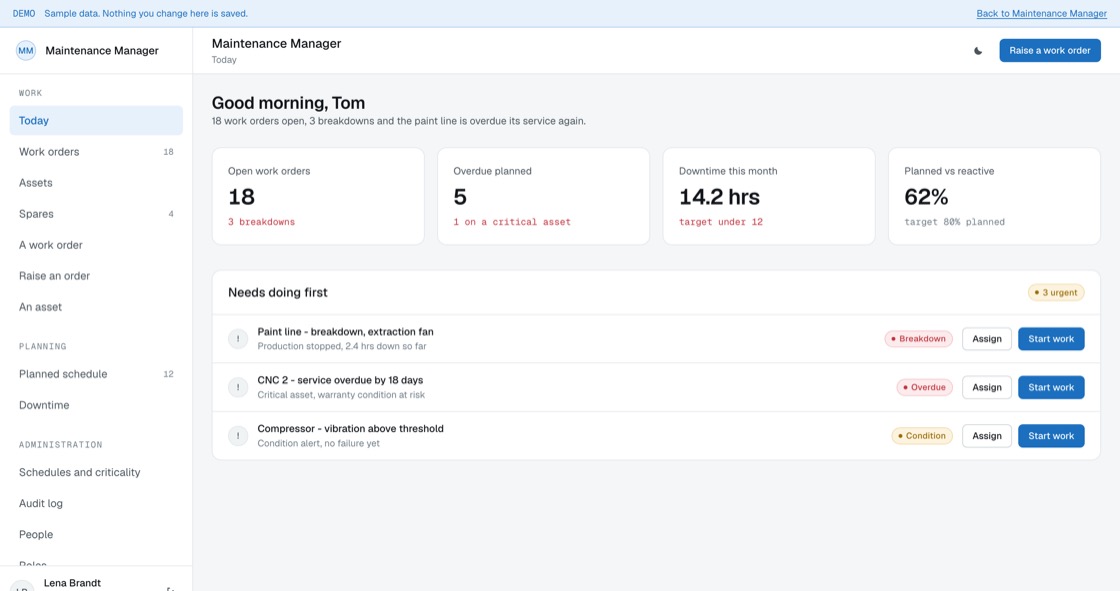
Asset Register tells you what you own. This tells you whether it is going to keep working: planned schedules that actually fire, breakdowns with a real cause, and the downtime figure nobody wants to look at.
From$699
Inside the app
22 connected functions on one schema, spanning three permission levels. Everything below is in the template before a line of customisation.
18 work orders open, 3 breakdowns and the paint line is overdue its service again.
Planned and reactive in one list, because technicians only have one day.
Maintenance history per asset, which is what tells you when to replace it.
Parts held against assets, and what a stockout would actually stop.
Schedules that fire on date or on usage, and escalate when ignored.
Hours lost, by asset and cause. The number that justifies the budget.
What counts as critical, and what happens when a schedule is missed.
Every deferral, completion and criticality change. Retained for seven years.
Permissions
A technician works the list. A planner owns the schedule and the downtime figure. An administrator decides what counts as critical, which is what drives queue order, escalation and whether a missing spare is treated as a risk.
02Maintenance Planner
14 of 22 functions
The build
9 screens, all of them live in the preview. Nothing on this list is a mockup or a roadmap item.
Access
Work
Planning
Administration
What you get
Manufacturers, facilities teams and fleet operators maintaining 50 to 5,000 assets.
Access and evidence
Arguments about capital spend are usually won by whoever has the record. Downtime, mean time between failures and repeat causes per asset turn a hunch about an unreliable machine into a number.
Related
Every laptop, vehicle, licence and machine, who holds it, what it cost and when it is due.
5.0 out of 58 sold
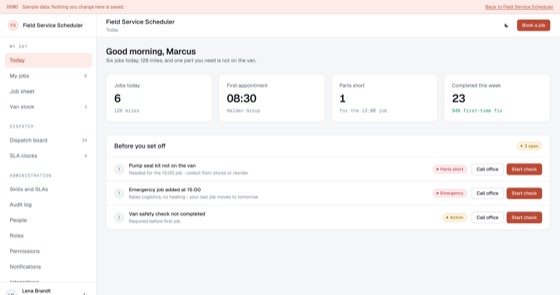
Dispatch board, engineer routing, job sheets and parts usage for teams that work on site.
5.0 out of 56 sold
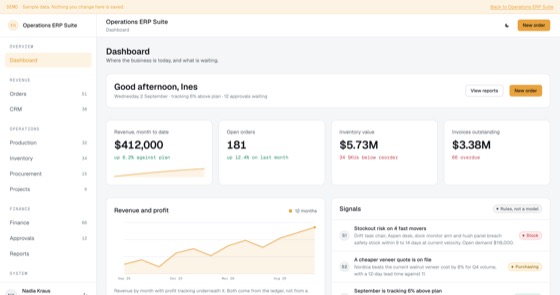
The full ERP spine: orders, CRM, production, stock, purchasing, projects, finance, approvals, reporting, people and automation.
5.0 out of 58 sold
Questions
Not covered here?
Ask a consultant directly. No form to fill in first, and no follow-up sequence.
Book a consultantAll questionsYes. The repository, application code, database schema, migrations, seed data and deployment configuration, is transferred to your organisation on delivery. There is no licence key and nothing that calls home.
Asset Register tells you what you own, what it cost and who has it. Maintenance Manager tells you whether it will keep working, planned schedules, breakdowns, spares and downtime. They pair naturally, and in a fitted build they share one asset record rather than duplicating it.
Either. A quarterly service fires on date; a filter change can fire every 500 running hours. Usage triggers need a meter reading, which can be entered by a technician or fed from a machine in a fitted build.
The technician screens, work orders, checklists, photos, parts used, are built offline-first and sync when signal returns. Plant rooms and basements are exactly where signal fails, so this is the difference between a system that gets used and one that gets filled in later from memory.
That is the usual route. A fitted build sets up your asset hierarchy, criticality bands, schedule templates, checklists, spares holdings, branding and up to two integrations, and typically takes one to three weeks from a signed scope.
Hosting only, paid to your own cloud provider, roughly $50 to $200 a month, rising mainly with photo storage from completed jobs.
Start here
A fitted build adjusts fields, stages, roles and integrations to how your team already works. One scoping call, a fixed price, one to three weeks.