Learning & EducationLive
Online Courses
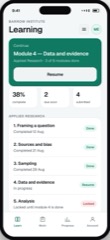
Courses with modules, progress that reflects work done, and a parent view.
5.0 out of 59 sold
TimetableStudent1 / 5
5.0 out of 56 sold
The four things a student office spends its day answering: where am I meant to be, what did I get, have I missed anything, and did somebody tell me something.
From$749
Inside the app
24 connected functions on one schema across 2 user types. Everything below is in the template before a line of customisation.
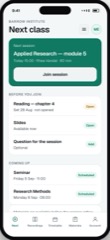
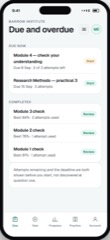
Including changes, with the change visible rather than silently applied. A room that moved without anybody noticing is a room nobody goes to.
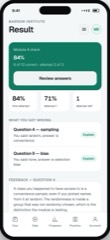
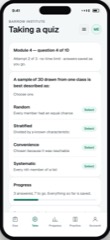
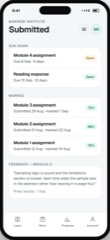
As released, with feedback attached. Released to a cohort at once rather than trickling out.
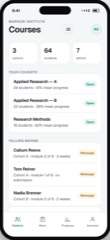
Including the gaps and the reasons recorded against them, so a pattern is visible before it becomes a letter.
A parent reports an absence in one step rather than ringing a line that is engaged at 08:40.
Only what concerns that student. An institution that broadcasts everything trains everybody to ignore it.
Letters, statements and forms in one place, so nothing important lives only in an email from March.
User types
A parent seeing exactly one child, and nothing about anybody else, is the requirement that matters most here. It is enforced per record rather than filtered in the interface.
01Student
3 of 5 screens
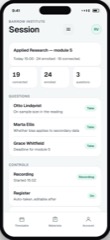
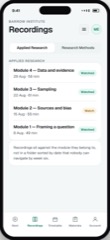
One place for timetable, results, attendance and anything the institution needs them to read. Most questions a student office answers are one of those four.
Preview as the student02Parents
2 of 5 screens
The same four things about their own child, so they can ask a useful question rather than a general one.
Preview as the parentsThe limits
The same list we give for every app in the catalogue, because the fastest way to a bad project is a promise made in a meeting that nobody wrote down.
Course fees are recorded and chased; collection runs through your own provider.
Enrolment, fees, statutory returns and awarding-body reporting are Student Records in the business catalogue. This is the portal.
Which parent may see which child, and for how long, is a policy question we implement rather than decide.
Course delivery and marking are Online Courses. This is the surrounding administration.
Questions
If yours is not here, ask it on the call rather than guessing from a pricing page.
Not covered here?
Ask a consultant directly. No form to fill in first, and no follow-up sequence.
Book a consultantAll questionsTheir own child’s timetable, results, attendance and messages. Nothing about any other student, enforced per record on the server rather than hidden in the interface.
Access is granted per child and can be withdrawn. Custody and safeguarding situations are real and the system has to allow for them rather than assume a simple family.
That is the usual arrangement. This portal reads enrolment and results from wherever the truth lives rather than becoming a second version of it.
That is a policy decision. Most institutions allow it above a certain age and require a parent below it, and both are configurable.
Yes. Both apps, API, schema, migrations and deployment configuration transfer on delivery.
Related
Courses with modules, progress that reflects work done, and a parent view.
5.0 out of 59 sold
Assessment with question banks, attempt limits and results that feed progress.
4.5 out of 55 sold
Start here
The preview is the real app with sample data. Open it and judge the software rather than the pitch.