Learning & EducationLive
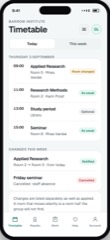
Student Portal
Timetable, results, attendance and messages, for a student and their parent.
5.0 out of 56 sold
LearnStudent1 / 5
5.0 out of 59 sold
Courses priced per institution rather than per student, so the software bill stops rising in exact step with enrolment.
From$949
Inside the app
23 connected functions on one schema across 3 user types. Everything below is in the template before a line of customisation.
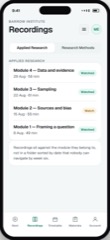
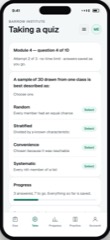
With prerequisites enforced, so module four is not opened before module three is finished. Sequencing that is only advisory is not sequencing.
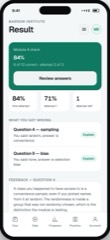
Based on completion rather than on opening a page. A progress bar that moves when you scroll teaches students to scroll.
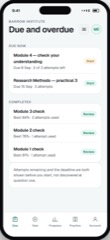
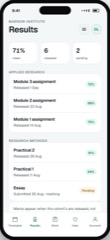
Handed in, marked, and returned with feedback attached to the work rather than sent separately in an email.
Oldest first, because a submission ageing is what students actually complain about.
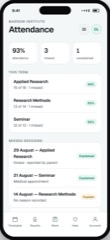
Flagged while there is still term left. A student identified in week eleven is a student you have already lost.
One child, their progress and deadlines. Scoped tightly, because the alternative is a data protection incident.
User types
A student is doing the work, a teacher is assessing it, and a parent is watching one child. That third view is the one institutions most often get wrong by showing either too much or nothing at all.
01Student
2 of 5 screens
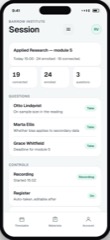
Works through modules, submits, and sees a progress figure that reflects what they actually completed rather than what they opened.
Preview as the student02Teacher
2 of 5 screens
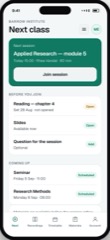
Runs cohorts, marks the queue, and sees who is falling behind while there is still time to do something.
Preview as the teacher03Parents
1 of 5 screens
Sees their own child’s progress, attendance and deadlines. Nothing about any other student, ever.
Preview as the parentsThe limits
The same list we give for every app in the catalogue, because the fastest way to a bad project is a promise made in a meeting that nobody wrote down.
A certificate carries exactly the authority your institution carries. Awarding-body recognition is between you and them, and no software confers it.
Live sessions and recordings connect to a streaming provider you choose. Rebuilding video delivery would be expensive and worse.
Course fees are recorded and chased; collection runs through your own provider.
Enrolment, fees and statutory reporting are Student Records in the business catalogue. This is teaching and learning.
Questions
If yours is not here, ask it on the call rather than guessing from a pricing page.
Not covered here?
Ask a consultant directly. No form to fill in first, and no follow-up sequence.
Book a consultantAll questionsPricing does not change with enrolment. Per-student licensing is the standard model here and the reason small providers end up running courses from a shared drive.
Usually the better plan. If a records system already holds enrolment truth, this reads from it rather than becoming a second version that drifts.
Their own child’s progress, attendance, deadlines and teacher messages. Nothing about any other student, enforced per record rather than hidden in the interface.
Only if you want it to, and we would push back. Time-on-page is a poor proxy for learning and a good way to teach students to game a bar.
Yes. All three apps, API, schema, migrations and deployment configuration transfer on delivery.
Related
Timetable, results, attendance and messages, for a student and their parent.
5.0 out of 56 sold
Assessment with question banks, attempt limits and results that feed progress.
4.5 out of 55 sold
Start here
The preview is the real app with sample data. Open it and judge the software rather than the pitch.