Employee Hub
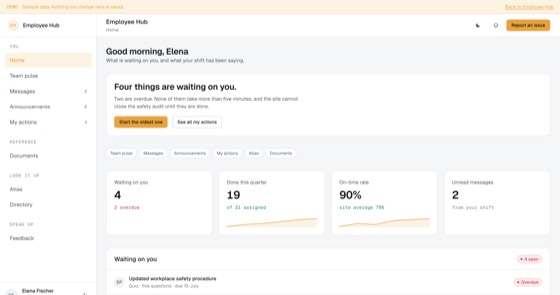
Announcements that require an action, tracked per employee, with reach reporting for managers.
4.5 out of 59 sold
The pay runHR1 / 8
5.0 out of 510 sold
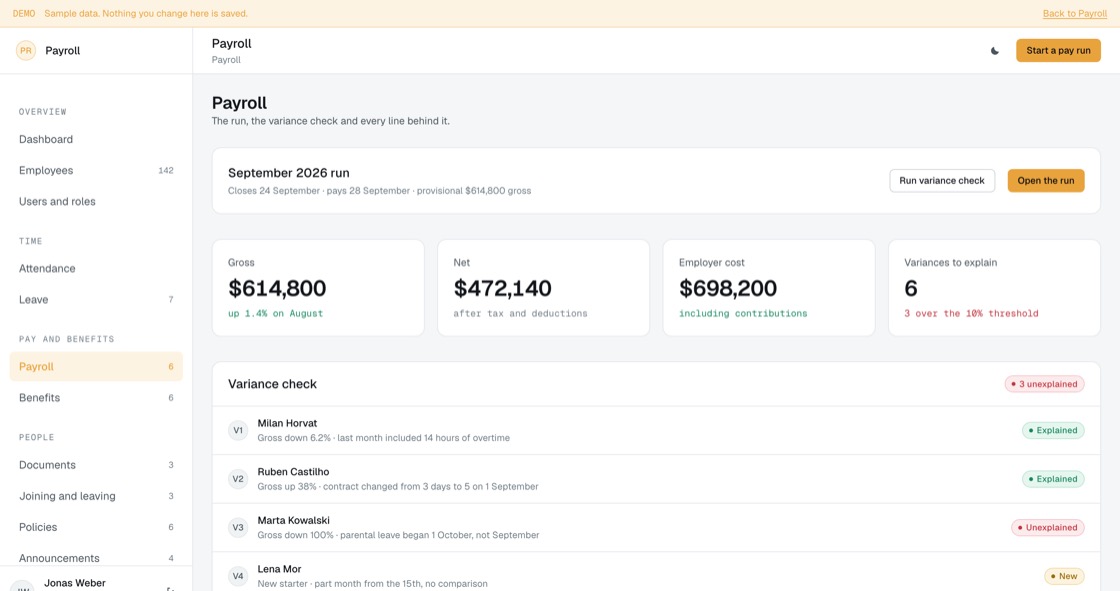
Payroll is the one system where a quiet mistake becomes a very loud problem. This build puts the variance check before the payment rather than after, and then keeps the rest of the employee portal around it, because most pay errors start as an unrecorded contract change, a missed absence or a bank detail nobody chased.
From$799
Inside the app
28 connected functions on one schema, spanning four permission levels. Everything below is in the template before a line of customisation.
Gross, net and employer cost, with every line drilling through to the elements that produced it: base, overtime, absence, deductions and contributions.
An unexplained variance over the threshold blocks approval. That is the whole reason the screen sits before the payment rather than after it.
Their payslips, their leave balance, their hours, and the three things waiting on them. Most payroll tickets are questions this screen answers.
In, out, hours and location. Hours feed the run for hourly contracts; for salaried staff they are a record of presence and nothing more is claimed.
Requests, approvals, balances and carry-over at risk, with unpaid and parental leave feeding the pay run rather than being retyped.
One record per person carrying its own contract history. A part-time change made in 2024 is still visible years later.
Contracts, right to work and certificates with expiry dates and per-type visibility. Missing bank details are shown as blocking the first pay run.
Onboarding and offboarding as checklists, including the two tasks everybody forgets: equipment return and disabling the accounts.
Plans with employer and employee cost separated, and versioned policies where acknowledgement is against the version somebody actually read.
An HR help desk aged from when the person raised it, and announcements with per-person read counts and acknowledgement.
Headcount, turnover, absence and payroll cost by department, with annual leave excluded from absence because counting it makes the number meaningless.
It does not calculate statutory tax for any jurisdiction. It holds what your payroll bureau or tax engine returns, and shows its working.
Permissions
An employee sees themselves. A manager sees their team, applied on the query rather than by hiding a menu. HR sees every record and runs the payroll. An admin owns the rules. Every level is included.
The build
21 screens, all of them live in the preview. Nothing on this list is a mockup or a roadmap item.
Access
Pay
People
Support and admin
What you get
Employers of 20 to 3,000 people who want payroll in the same system as their HR records.
Access and evidence
Payroll fraud and payroll error look identical until somebody checks. The controls that catch both are the same: unusual movements surfaced before the money leaves, and a second person approving what the first prepared.
Related
Announcements that require an action, tracked per employee, with reach reporting for managers.
4.5 out of 59 sold
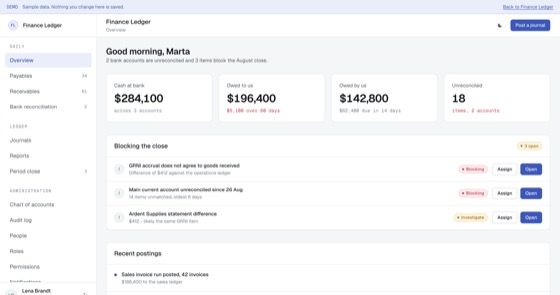
General ledger, payables, receivables and bank reconciliation on one double-entry schema.
5.0 out of 57 sold
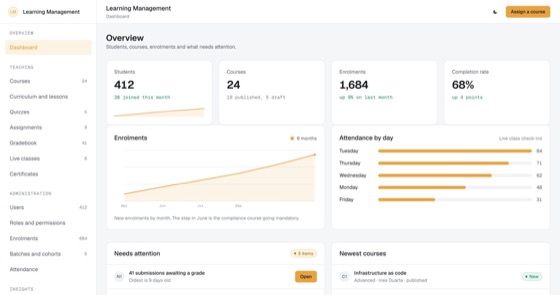
Courses, lessons, quizzes, assignments, a gradebook, live classes, cohorts and certificates, with completion records that survive an audit.
5.0 out of 57 sold
Questions
Not covered here?
Ask a consultant directly. No form to fill in first, and no follow-up sequence.
Book a consultantAll questionsYes. The repository, application code, database schema, migrations, seed data and deployment configuration, is transferred to your organisation on delivery.
No, and this is the most important thing to be clear about. Payroll filing is jurisdiction specific, changes every tax year, and in most countries requires software recognised or accredited by the tax authority. This template calculates and records pay; it does not submit returns. Most clients run it alongside a recognised filing route, and a fitted build wires that up. Talk to your accountant before deciding.
Rates live in configuration rather than in code, so they can be updated without a developer. Keeping them current is your responsibility once the code is yours, which is the trade-off of owning software rather than renting it. Ongoing rate maintenance is available as a support arrangement if you would rather not track it.
Because that single control catches both fraud and simple error, and both are expensive and public in payroll. Combined with variance checks that surface unusual movements before the payment file is generated, it is the cheapest protection available.
That is the usual route, and payroll is customised more than most. A fitted build sets up your pay elements, salary sacrifice arrangements, deduction order, pay calendar, payslip design, filing integration, branding and up to two integrations. Budget toward the upper end of the one to three week range.
Hosting only, paid to your own cloud provider, roughly $50 to $200 a month. Payroll data is small but sensitive, so budget for solid backups and restricted access rather than scale.
Start here
A fitted build adjusts fields, stages, roles and integrations to how your team already works. One scoping call, a fixed price, one to three weeks.