Employee Hub
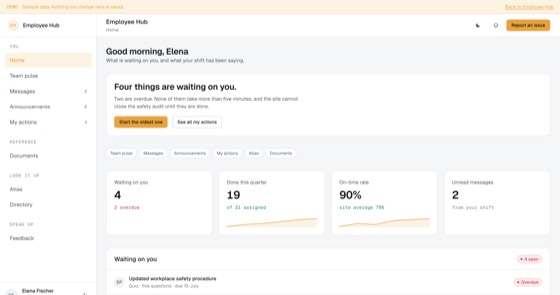
Announcements that require an action, tracked per employee, with reach reporting for managers.
4.5 out of 59 sold
OverviewAdmin1 / 8
5.0 out of 57 sold
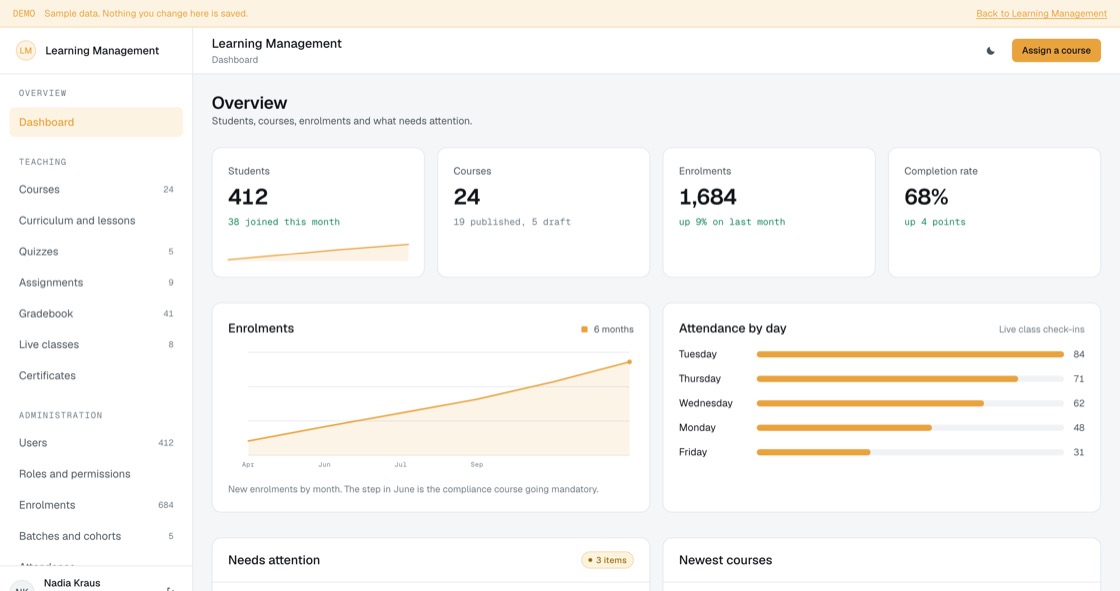
Training software usually optimises for publishing courses. This one does that, curriculum, quizzes, assignments, a gradebook, live classes and cohorts, and then optimises for the harder question: proving, months later, that the right people completed the right training.
From$599
Inside the app
28 connected functions on one schema, spanning four permission levels. Everything below is in the template before a line of customisation.
What they are on, what is due, what the next live class is, and the certificates they have actually earned.
Draft, published and archived, with lesson count, enrolment and completion. An archived course keeps its records, because deleting it erases the evidence.
Video, reading, exercise and live class, in order, with resources. Reordering a live course does not lose anybody’s progress.
Practice, graded and mandatory, with pass marks and retake limits recorded per attempt. "Passed on the fourth try" is a different fact from "passed".
What is set, what is in, and the turnaround from submission to grade returned, the number students actually judge a course on.
Submissions with grader and score, and a rule that a grade is returned with written feedback or not at all.
Scheduled, booked, attended and recorded, with "no recording" stated before people book, because it changes whether attending matters.
Issued from completion records with a number anybody can verify without an account, and an expiry that reassigns the course automatically.
Self enrolled, assigned, cohort or reassigned, reassigned meaning a certificate expired, which is a different fact from a first assignment.
Scheduled groups with a start, an end and a capacity, measured at the end date rather than pretending self-paced and scheduled are the same.
Who came to a live class, and separately who watched it later. Folding the two together flatters the number.
Completion, average score and median days together, and mandatory compliance by department that names the people outstanding rather than showing a percentage.
Permissions
A student sees their own learning. An instructor runs their courses. An admin runs the programme and the people on it. The owner sets the rules and owns the record. Completion records outlive accounts on purpose: an audit asks who was trained, not who still has a login.
The build
19 screens, all of them live in the preview. Nothing on this list is a mockup or a roadmap item.
Access
Teaching
Administration
Student and insight
What you get
Teams with recurring compliance, safety or onboarding training and an obligation to evidence it.
Access and evidence
Training software is easy to buy and hard to prove. The question an inspector asks is not whether you have an LMS, it is whether you can show who completed what, on which version, and when.
Related
Announcements that require an action, tracked per employee, with reach reporting for managers.
4.5 out of 59 sold
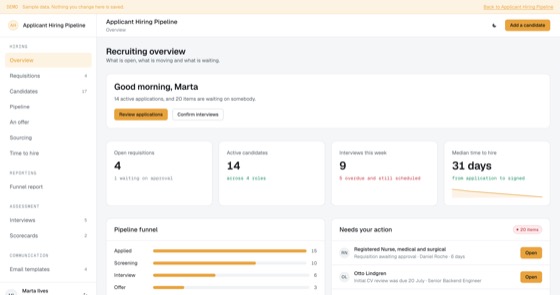
Requisitions, candidates, a stage pipeline, scheduled interviews with scorecards and candidate email templates, an ATS you own outright.
5.0 out of 57 sold
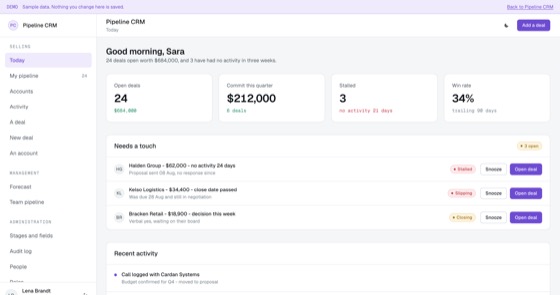
Deal stages, forecasting and activity history for a sales team that has outgrown a spreadsheet.
5.0 out of 511 sold
Questions
Not covered here?
Ask a consultant directly. No form to fill in first, and no follow-up sequence.
Book a consultantAll questionsYes. The repository, application code, database schema, migrations, seed data and deployment configuration, is transferred to your organisation on delivery. There is no licence key and nothing that calls home.
As many as you like, including contractors and franchisees who are not on your payroll. Per-learner pricing is why most companies restrict mandatory training to permanent staff and then discover the gap during an inspection.
An archived course keeps its enrolments and its completion records, because deleting it would erase the evidence that people were trained. Where a completion carries an expiry, the course is reassigned automatically when it lapses, and a reassignment is recorded as a different fact from a first assignment.
The template authors courses natively from text, video and files. SCORM packages and third-party libraries are a standard integration in a fitted build. We will tell you plainly if a particular provider has no sane integration path.
That is the usual route. A fitted build adjusts tracks, assignment rules, recurrence intervals, pass marks, certificate design, branding and up to two integrations, and typically takes one to three weeks from a signed scope.
Hosting only, paid to your own cloud provider, roughly $50 to $200 a month, rising mainly with video storage if your courses are media-heavy.
Start here
A fitted build adjusts fields, stages, roles and integrations to how your team already works. One scoping call, a fixed price, one to three weeks.