Event ManagementLive
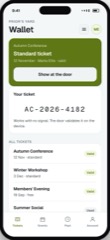
Ticketing
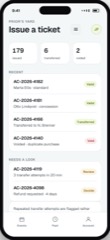
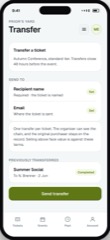
Tickets issued against a named attendee, transferable and refundable on your rules.
4.5 out of 56 sold
ScanUser1 / 3
The door, and nothing else. Scanning has to be instant, has to work with no signal, and has to refuse a second scan of the same ticket.
From$549
Inside the app
22 connected functions on one schema across 1 user type. Everything below is in the template before a line of customisation.
Camera open on launch, result in under a second, large and readable in bad light. The whole app is this screen.
The door list is on the device. Scans validate locally and sync afterwards. Venue wifi failing must not stop a queue, and it will fail.
A ticket scans once. The second attempt is refused clearly, with when and where the first scan happened.
For the dead phone, the wrong email and the person who never got the ticket. That queue exists at every event.
Admitted, by session and by entrance, which is what safety limits are actually measured against.
Several devices scanning the same event, staying consistent without waiting on a central connection.
User types
A door app that also shows reports is a door app that slows a queue. Everything an organiser needs to look at lives in Attendee Management instead.
01User
3 of 3 screens
One user, one job: get people through the door quickly and correctly. Anything else on this screen is a queue getting longer.
Preview as the userThe limits
The same list we give for every app in the catalogue, because the fastest way to a bad project is a promise made in a meeting that nobody wrote down.
No reporting, no editing, no messaging. Those live in Attendee Management, deliberately, so the queue keeps moving.
It scans on standard phones. Turnstiles and access control are integrations we scope rather than assume.
The live count helps you manage capacity. Fire and safety compliance remain yours.
It scans tickets issued by Ticketing or Event Booking. On its own it has nothing to check.
Questions
If yours is not here, ask it on the call rather than guessing from a pricing page.
Not covered here?
Ask a consultant directly. No form to fill in first, and no follow-up sequence.
Book a consultantAll questionsYes, and this is the one requirement worth being blunt about. The door list is held on each device, scans validate locally, and everything reconciles when a connection returns. A venue basement is the normal case.
Devices reconcile with each other when they can, and a duplicate is flagged with where and when the first scan happened. Deciding what to do about it is a human job.
Find them by name and admit them manually, with the ticket marked used. Every event has this queue and an app that ignores it creates a bottleneck.
Yes, on as many devices as you like. There is no per-device or per-scan fee.
Yes, on the same terms as every app here. No licence key and nothing that calls home.
Related
Tickets issued against a named attendee, transferable and refundable on your rules.
4.5 out of 56 sold
Events with sessions, capacity and pricing tiers, booked against real availability.
5.0 out of 59 sold
The register, requirements and communication, for the people actually coming.
4.0 out of 53 sold
Start here
The preview is the real app with sample data. Open it and judge the software rather than the pitch.