Fitness & WellnessLive
Personal Trainer App
Bookings, packages, programmes and billing for a trainer who is the business.
4.5 out of 57 sold
TodayUser1 / 7
5.0 out of 510 sold
A member app and a trainer app on one system. Classes, passes and plans on one side; diary, clients and programmes on the other. Your brand on the app icon and no cut taken on a booking.
From$899
Inside the app
Twenty-six connected functions on one schema across two user types. Everything below is in the template before a line of customisation.
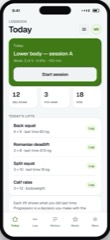
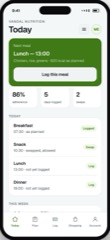
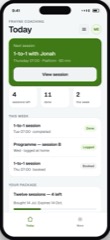
The member opens on their next session, not a marketing splash. Streak, sessions this week and passes remaining.
The timetable with real capacity. Book, join a waitlist, or see that a class is full, before signing up for anything.
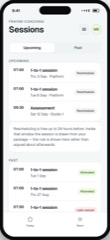
Upcoming bookings, cancellations inside your window, and a pass balance that warns at two remaining rather than at zero.
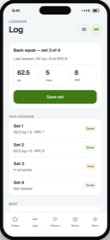
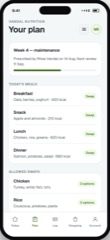
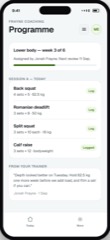
The programme their trainer assigned, with sets, reps and load, logged from the gym floor on their own phone.
The trainer’s day: sessions, classes with booking counts, free slots, and the clients who have quietly stopped coming.
Every client with last visit and plan progress. At-risk is a first-class state, not something you notice in a cancellation email.
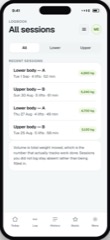
Programmes assigned across the roster, completion per client, and reusable templates so week one is not rebuilt each time.
User types
The member is outside your organisation and the trainer is inside it, so the permission model starts with the member rather than bolting them on at the end. Hiding a screen is presentation; a real deployment enforces the same rules on the server.
01User
4 of 7 screens
Books classes, tracks passes, follows the plan their trainer set and logs it from the floor. Sees their own record and nothing else. Browsing the timetable needs no account, because forcing a signup before someone can see whether you run a 6am class loses them.
Preview as the user02Trainer
3 of 7 screens
Runs their own diary and roster. Assigns programmes, records what actually happened in a session against what was booked, and sees who is drifting while there is still time to do something about it.
Preview as the trainerThe limits
The same list we give for every app in the catalogue, because the fastest way to a bad project is a promise made in a meeting that nobody wrote down.
Programmes and plans are what your trainers prescribe. Anything needing a registered dietitian or clinician stays with them, and the app does not imply otherwise.
Memberships and class passes are recorded and chased. The money moves through your own payment provider account, which is what keeps the booking commission at zero.
It replaces the booking layer, not the marketing. A booking platform charges commission partly because it brings you members; this serves the members you already have.
We build to Apple and Google’s published guidelines, submit from your developer accounts and fix what comes back. Nobody can promise an approval date.
Questions
If yours is not here, ask it on the call rather than guessing from a pricing page.
Not covered here?
Ask a consultant directly. No form to fill in first, and no follow-up sequence.
Book a consultantAll questionsYes, on the same terms as every app in the catalogue. The repository, member app, trainer app, API, database schema, migrations, seed data and deployment configuration, is transferred to your organisation on delivery. No licence key, nothing that calls home.
This template ships the two user types you see in the preview: member and trainer. Gym owners usually want a third for timetable, pricing, staff and reporting, and that is the most common first change in a fitted build. It is not in the template as it stands.
Yes. It is one React Native codebase building to both stores, which is why the preview shows an iPhone rather than two nearly identical sets of functionshots.
Pricing does not change with member count. Per-member pricing is the standard model in gym software and the reason small studios end up running on a spreadsheet and a group chat.
Logging a session does. Gym floors and basements are exactly where connectivity fails, so sessions are captured on the device and sync when the connection returns.
That is the usual route. A fitted build sets up your class types and durations, pass and membership rules, cancellation windows, trainer permissions, branding and up to two integrations, typically in one to three weeks from a signed scope.
Related
Bookings, packages, programmes and billing for a trainer who is the business.
4.5 out of 57 sold
Programme, session logging, lift history and personal records for one person training alone.
4.5 out of 58 sold
Plans a dietitian prescribes, meals the client logs, and adherence both can see.
4.0 out of 53 sold
Start here
The preview is the real app with sample data. Open it as a member, then as a trainer, and judge the software rather than the pitch.